Requesting Clickstream
📘 Information below might be outdated - please visit our recently updated API Reference
The instruction below shows how to request clickstream.
This feature is available starting from Team plan.
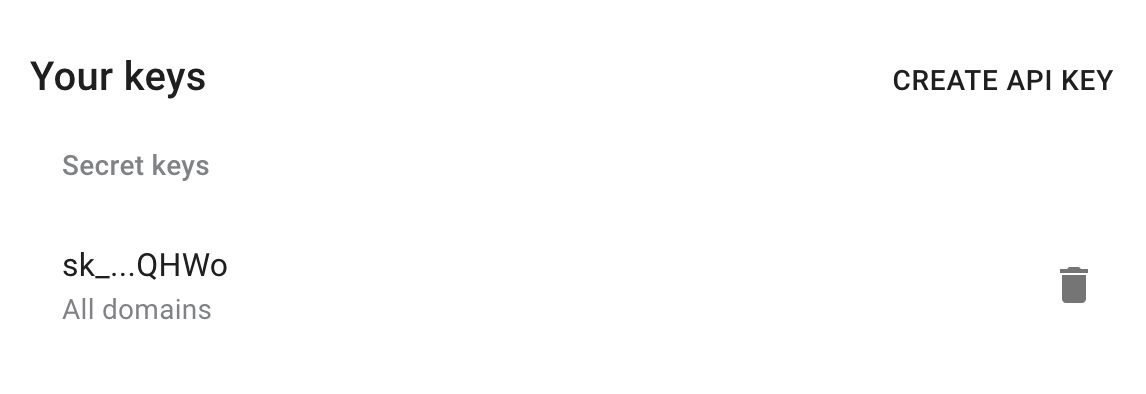
1) Get your API key here: https://app.short.io/settings/integrations/api-key
- Click "Create API key".
- Add a Secret key.
2) Copy an ID of a domain you want to request clickstream.
- Open domain settings.
- Copy the domain ID.


3) Install prerequisites for requests.
- Python
- Node.js
pip install requests
// No additional dependencies required (uses native fetch)
Now everything is ready to run the following snippet. It will return a list of latest clicks.
4) Create a file: filename.py/ .js/ .rb. Use the code snippet below.
📘
Please, replace domainID, exclude parameters with appropriate values.
👍
You can include or exclude such options as countries, browsers, socials, browserVersions, statuses, paths, protos, methods, utmSources, utmMediums, utmCampaigns.
- Python
- Node.js
- Ruby
import requests

url = "https://api-v2.short.io/statistics/domain/domainID/last_clicks"

payload = {"limit":30, "include":{"human":True},"exclude":{"browsers":["Chrome"]}}
headers = {
    'accept': "*/*",
    'content-type': "application/json",
    'authorization': "<<apiKey>>"
    }

response = requests.request("POST", url, json=payload, headers=headers)

print(response.text)
const url = "https://api-v2.short.io/statistics/domain/domainID/last_clicks";
const options = {
  method: "POST",
  headers: {
    accept: "*/*",
    "content-type": "application/json",
    authorization: "<<apiKey>>"
  },
  body: JSON.stringify({
    limit: 30,
    include: { human: true },
    exclude: { browsers: ["Chrome"] }
  })
};

const response = await fetch(url, options);
const data = await response.json();
console.log(data);
require 'uri'
require 'net/http'
require 'openssl'
require 'json'

url = URI("https://api-v2.short.io/statistics/domain/domainID/last_clicks")

http = Net::HTTP.new(url.host, url.port)
http.use_ssl = true
http.verify_mode = OpenSSL::SSL::VERIFY_NONE

request = Net::HTTP::Post.new(url)
request["accept"] = '*/*'
request["content-type"] = 'application/json'
request["authorization"] = '<<apiKey>>'
request.body = JSON.generate({"limit":30,"include":{"human":true},"exclude":{"browsers":["Chrome"]}})

response = http.request(request)
puts response.read_body
5) Launch the file.
- Python
- Node.js
- Ruby
python filename.py
node filename.js
ruby filename.rb
6) JSON Response.
Once you run the code, you will see the response.
It contains the list from the last 30 clicks. The example of one click.
{
host: 'shortcm.xyz',
path: '/login',
method: 'GET',
url: 'https://app.short.cm/login',
dt: '2020-05-20T06:19:12.000Z',
st: 302,
ip: '202.83.57.227',
proto: 'https',
ref: 'https://blog-short-io.cdn.ampproject.org/v/s/blog.short.io/shortlinks-youtube/amp/?amp_js_v=a3&_gsa=1&usqp=mq331AQFKAGwASA%3D',
ua: 'Mozilla/5.0 (Linux; Android 10; HD1901) AppleWebKit/537.36 (KHTML, like Gecko) Chrome/81.0.4044.138 Mobile Safari/537.36',
human: true,
browser: 'Chrome Mobile',
browser_version: '81',
country: 'India',
social: '',
refhost: 'blog-short-io.cdn.ampproject.org',
os: 'Android',
utm_source: '',
utm_medium: 'unknown',
utm_campaign: '',
goal_completed: null,
ab_path: null,
lcpath: '/login'
},